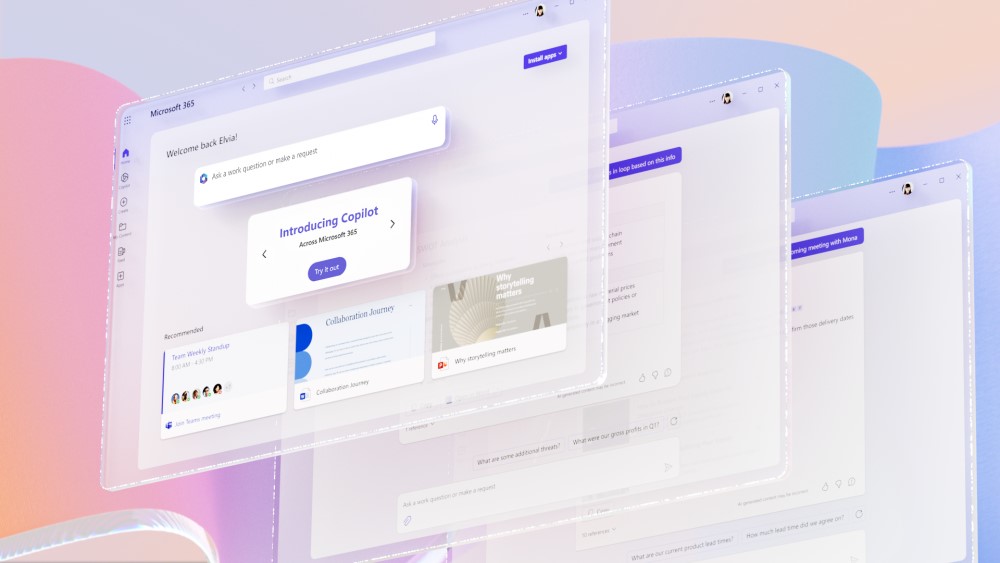
Artificial Intelligence has quickly moved from a futuristic concept to a practical business tool. Among the growing number of AI solutions available, Microsoft Copilot has attracted significant attention from small and medium-sized businesses looking to improve productivity, streamline operations and gain more value from their existing Microsoft 365 investment.
But with additional licensing costs involved, many business leaders are asking the same question: Is Microsoft Copilot actually worth the investment for SMEs?
The short answer is: for many businesses, yes. However, the return on investment depends on how your organisation uses Microsoft 365, the types of tasks your employees perform, and whether you’re prepared to embrace AI as part of your daily workflows.
What is Microsoft Copilot?
Microsoft Copilot is an AI assistant integrated into Microsoft 365 applications such as:
- Outlook
- Word
- Excel
- PowerPoint
- Teams
- OneNote
Using large language models and your organisation’s Microsoft 365 data, Copilot can help users generate content, analyse information, summarise meetings, automate repetitive tasks and answer questions based on company data. Rather than replacing employees, Copilot is designed to reduce time spent on routine work so teams can focus on higher-value activities.
How Can SMEs Use Microsoft Copilot?
Many SME employees spend hours each week performing administrative tasks that don’t directly contribute to growth. Microsoft Copilot can help by:
Drafting Emails Faster
Instead of starting from a blank page, users can generate professional emails in seconds, adjust the tone and summarise long email chains.
Creating Documents
Copilot can create first drafts of proposals, reports, meeting notes and customer communications from simple prompts.
Analysing Data in Excel
For businesses without dedicated data analysts, Copilot can help identify trends, explain datasets and generate insights using natural language.
Improving Meetings
In Microsoft Teams, Copilot can:
- Summarise discussions
- Highlight actions
- Capture decisions
- Provide meeting recaps
This is particularly valuable for businesses with hybrid or remote teams.
Building Presentations
Copilot can generate PowerPoint presentations from existing documents, saving significant time when preparing customer proposals or internal updates.
What Are the Benefits of Copilot for SMEs?
Increased Productivity
One of the biggest advantages is time savings.
Many business users spend a large proportion of their day writing emails, attending meetings, searching for information and creating documents. Copilot helps automate these activities, allowing staff to complete tasks more efficiently. Even saving 30 to 60 minutes per employee per day can have a significant impact over the course of a year.
Better Use of Existing Knowledge
Businesses often store valuable information across SharePoint sites, emails, Teams conversations and documents. Copilot helps employees quickly find and use this information without manually searching multiple systems.
Consistency Across Teams
Copilot can help improve consistency in communication, document creation and reporting by providing standardised outputs and suggested formats.
Enhanced Employee Experience
Many SMEs struggle with growing workloads while maintaining headcount. By reducing repetitive tasks, Copilot can help employees focus on more meaningful work, potentially improving job satisfaction and reducing administrative burden.
What Are the Challenges of Using Copilot?
While the benefits are compelling, Copilot isn’t a magic solution.
Data Quality Matters
Copilot is only as effective as the information it can access.
If your Microsoft 365 environment contains outdated files, poor document management practices or inconsistent permissions, results may be less useful. For many SMEs, implementing Copilot successfully starts with improving data governance.
Staff Training is Essential
Employees need guidance on:
- Writing effective prompts
- Validating AI-generated content
- Understanding limitations
- Maintaining data security
Organisations that invest in user adoption typically achieve better outcomes than those that simply enable the tool and hope for the best.
AI Isn’t Always Correct
Like all AI systems, Copilot can occasionally generate inaccurate information or misunderstand context. Users should always review outputs before sending customer communications, publishing reports or making business decisions.
Is the Cost Justified?
For many SME leaders, this is the deciding factor. The real question isn’t how much Copilot costs. It’s whether it saves more value than it costs. Consider an employee earning £35,000 per year. If Copilot saves just 30 minutes per day, that’s roughly 130 hours per year that can be redirected towards customer service, sales, project delivery or strategic work. Across multiple employees, those productivity gains can quickly outweigh the licensing costs. Businesses that see the highest return typically have employees who regularly:
- Write reports
- Manage customer communications
- Create proposals
- Work with spreadsheets
- Attend numerous meetings
- Use Microsoft 365 extensively
Is Your Business Ready for Microsoft Copilot?
Before investing, ask yourself:
- Is Microsoft 365 already widely used across the business?
- Are files and data stored in the Microsoft ecosystem?
- Do employees spend significant time on repetitive administrative work?
- Is there a willingness to adopt new technology and processes?
- Are security and permissions correctly configured?
If the answer is yes to most of these questions, Microsoft Copilot could deliver meaningful productivity improvements.
Final Verdict
For many SMEs, Microsoft Copilot represents one of the most practical AI investments currently available. Because it sits within familiar Microsoft 365 applications, employees can start realising benefits without learning entirely new systems.
While successful adoption requires preparation, training and strong data management, businesses that embrace Copilot effectively can reduce administrative workload, improve productivity and unlock greater value from their Microsoft 365 environment.
The question for many SMEs is no longer whether AI will become part of the workplace, but how quickly they can begin benefiting from it.
Unsure if Copilot is right for your business? Get in touch with Bluecube and we can provide a free assessment.
Watch Our Latest Bluecube CloudCast
Posted in: News. Tagged: AI, Bluecube, copilot, microsoft
Can we help?
Contact usIf you have enjoyed reading this article and want to know more about Bluecube, please get in touch. Our friendly team will be happy to answer any queries.